 Sayfarer
Free travel translator for Android
Speak anywhere.
Understand everyone.
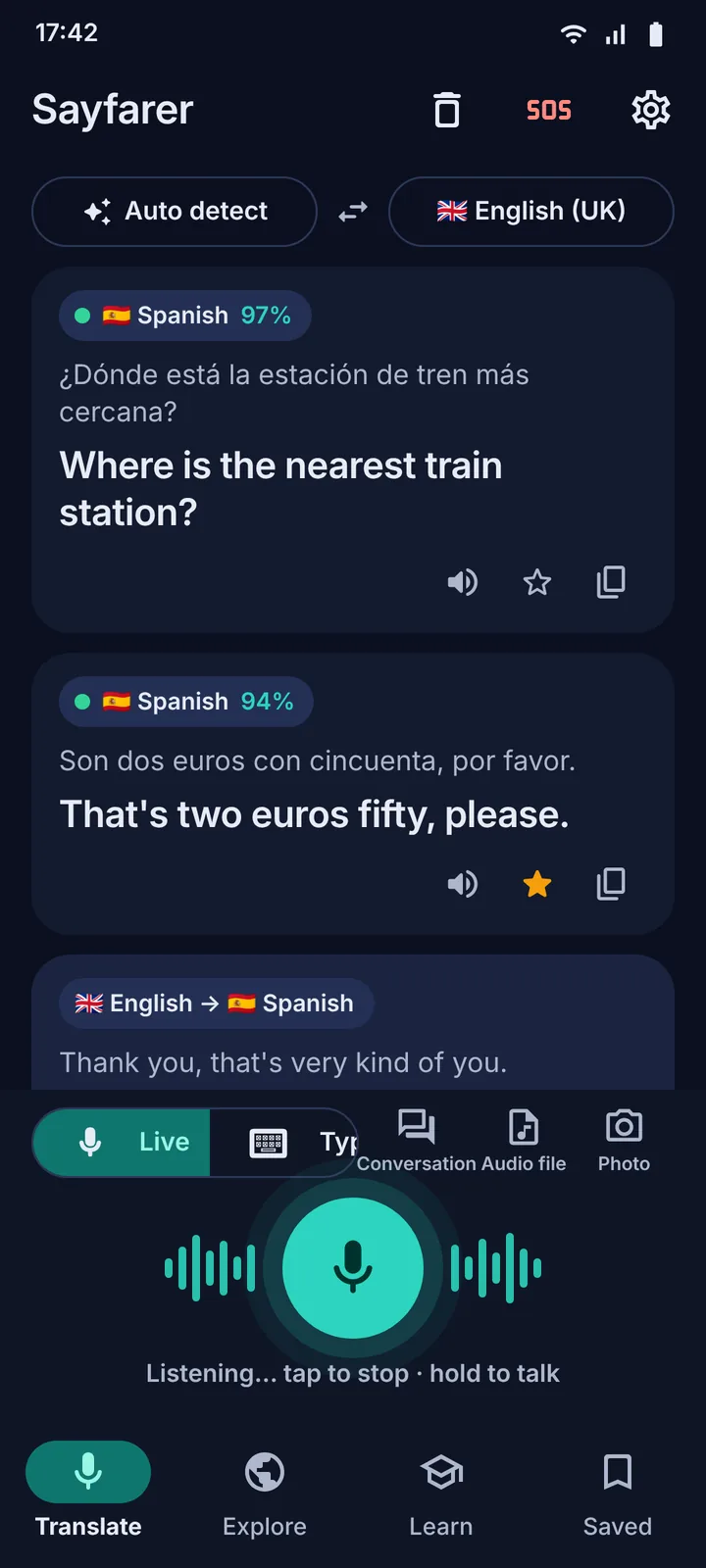
Tap the mic and talk. Sayfarer works out which language it hears, translates it into yours and says it back in a natural voice. No account, no ads, no subscription.
- 100+ languages detected automatically
- 250 country guides
- No ads, no account
How it works
Three seconds from their words to yours
No language menus to dig through. Sayfarer figures out what it hears and gets out of the way.
Tap the mic
Sayfarer listens and detects the language on its own, with a confidence badge and one-tap correction if it ever guesses wrong.
Read it, hear it
The translation appears large on screen and is spoken in a natural voice, with the accent and gender you choose.
Reply either way
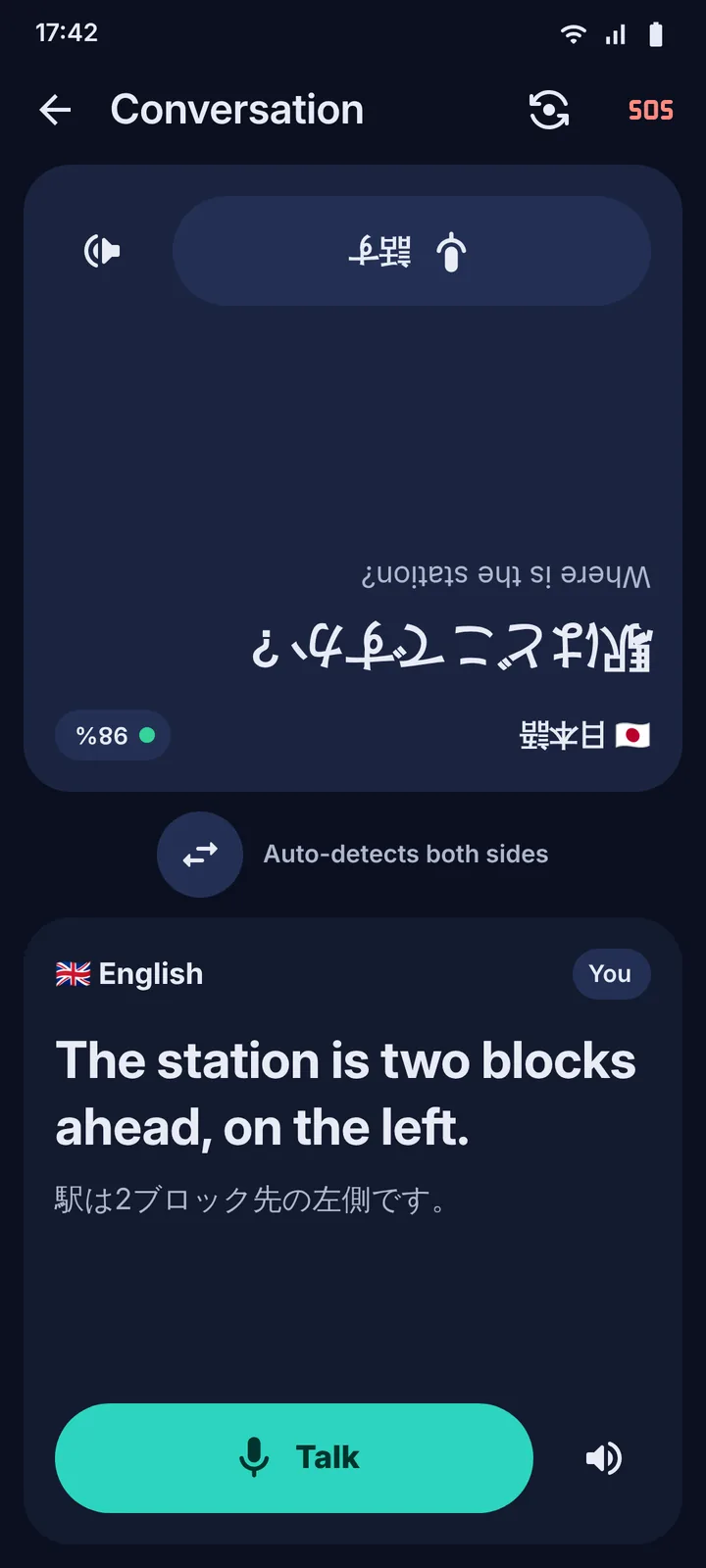
Talk back, type when it's too loud, or hand the phone over in Conversation mode where each side gets its own talk button.
Live translation
It listens, detects and speaks
Built for real conversations: a market stall, a taxi, a pharmacy counter. Not a form you fill in.
- Automatic language detection across 100+ languages and dialects, with a confidence badge.
- Tap or hold. Tap for continuous listening, hold to talk, type when it's loud.
- Voice messages and recordings. Import an audio file and get the full transcript with its translation.
- Everything saved. History, favourites and collections, searchable and exportable.
Camera
Order with confidence
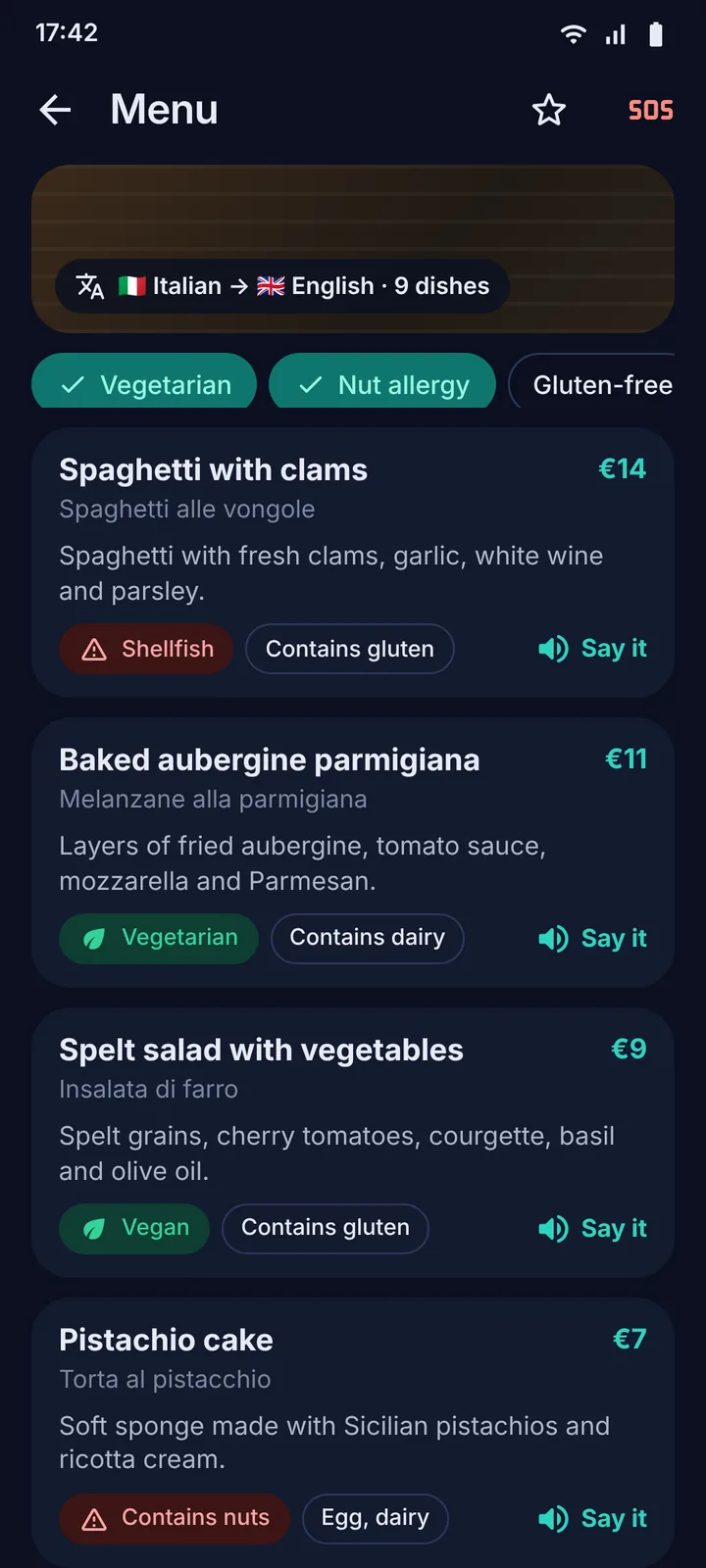
Point the camera at a menu, a sign, a ticket or a form and read it in full.
- Every dish, decoded. Price, description and what's actually in it.
- Dietary warnings. Vegan, vegetarian, halal, kosher, gluten-free, and nut, lactose and shellfish allergies.
- “Say it”. Pronounces the original dish name so you can order it out loud.
- Signs and documents. Timetables, tickets and forms translated in full, not just the headline.
250 countries
Every country in one tap
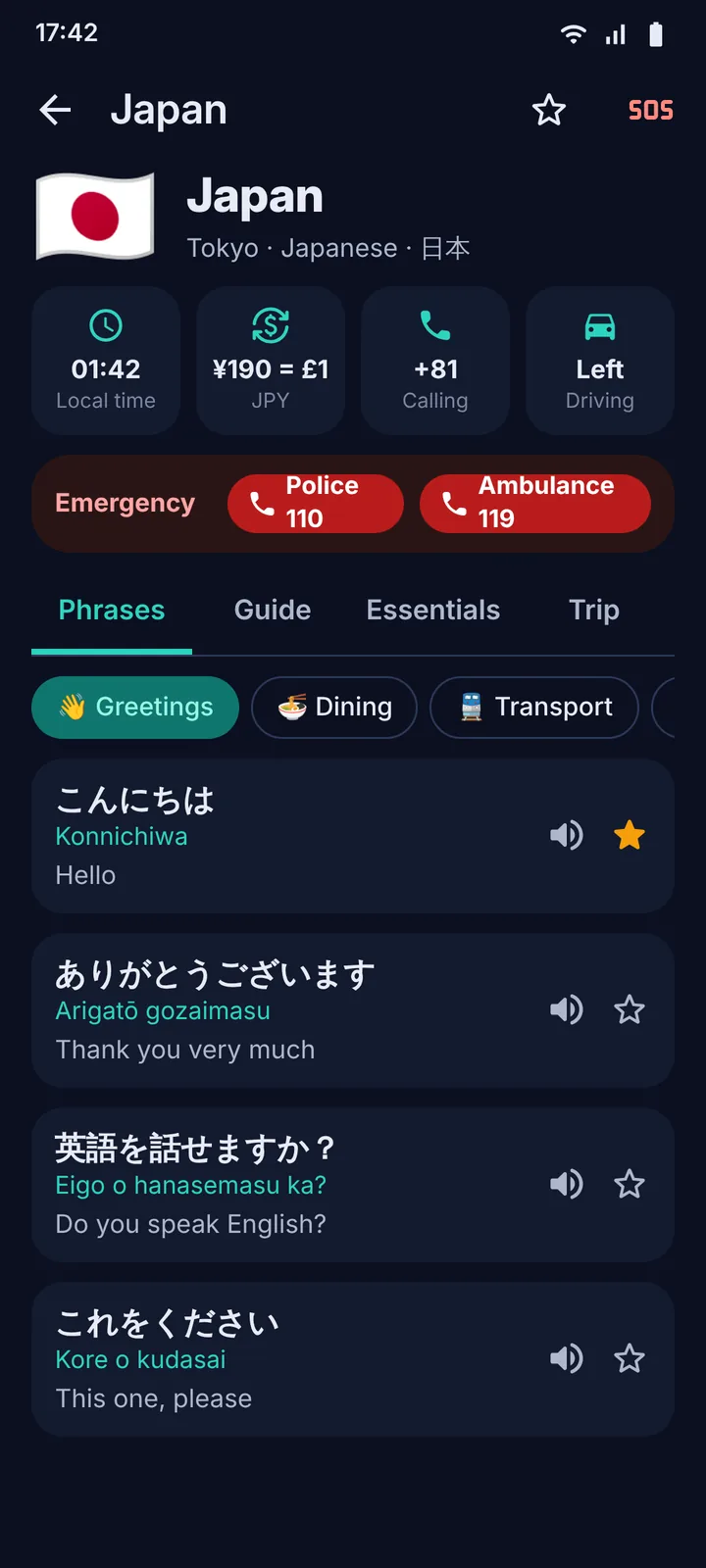
Open the hub for wherever you are and everything you need is already there.
- Phrasebook by category and level, with pronunciation guides for non-Latin scripts.
- Cultural dos and don'ts, tipping, etiquette and the things guidebooks forget.
- Essentials at a glance: local time, currency converter, calling code, driving side.
- Trip phrases for your interests, food, hiking, nightlife, museums, business and more.
SOS
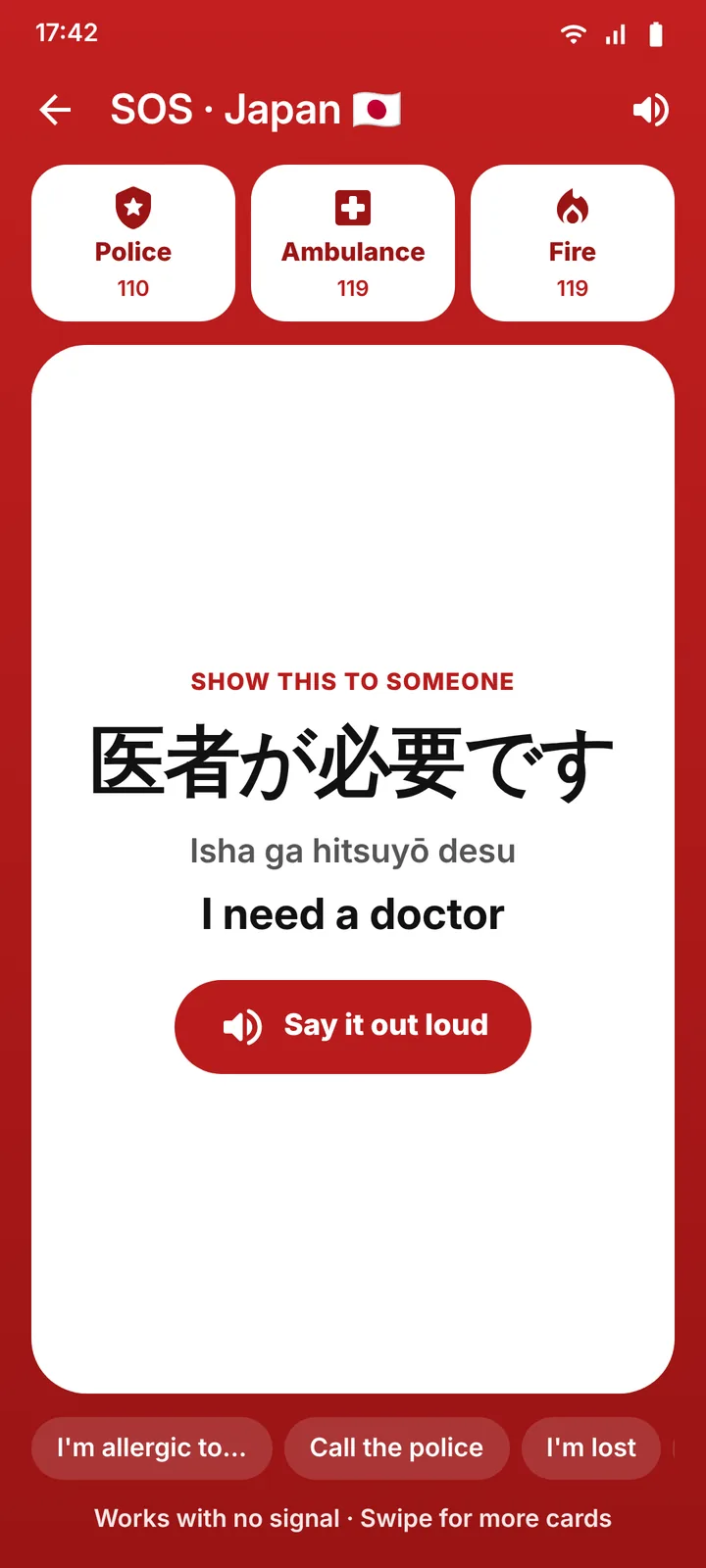
Help, even with no signal
A red SOS button sits on every screen. It works in airplane mode.
- One-tap calls to the local police, ambulance and fire numbers.
- Huge “show this” cards in the local language: “I need a doctor”, “I'm allergic to…”, “Call the police”.
- Spoken out loud with a tap, so you're understood even when you can't be seen.
Learn
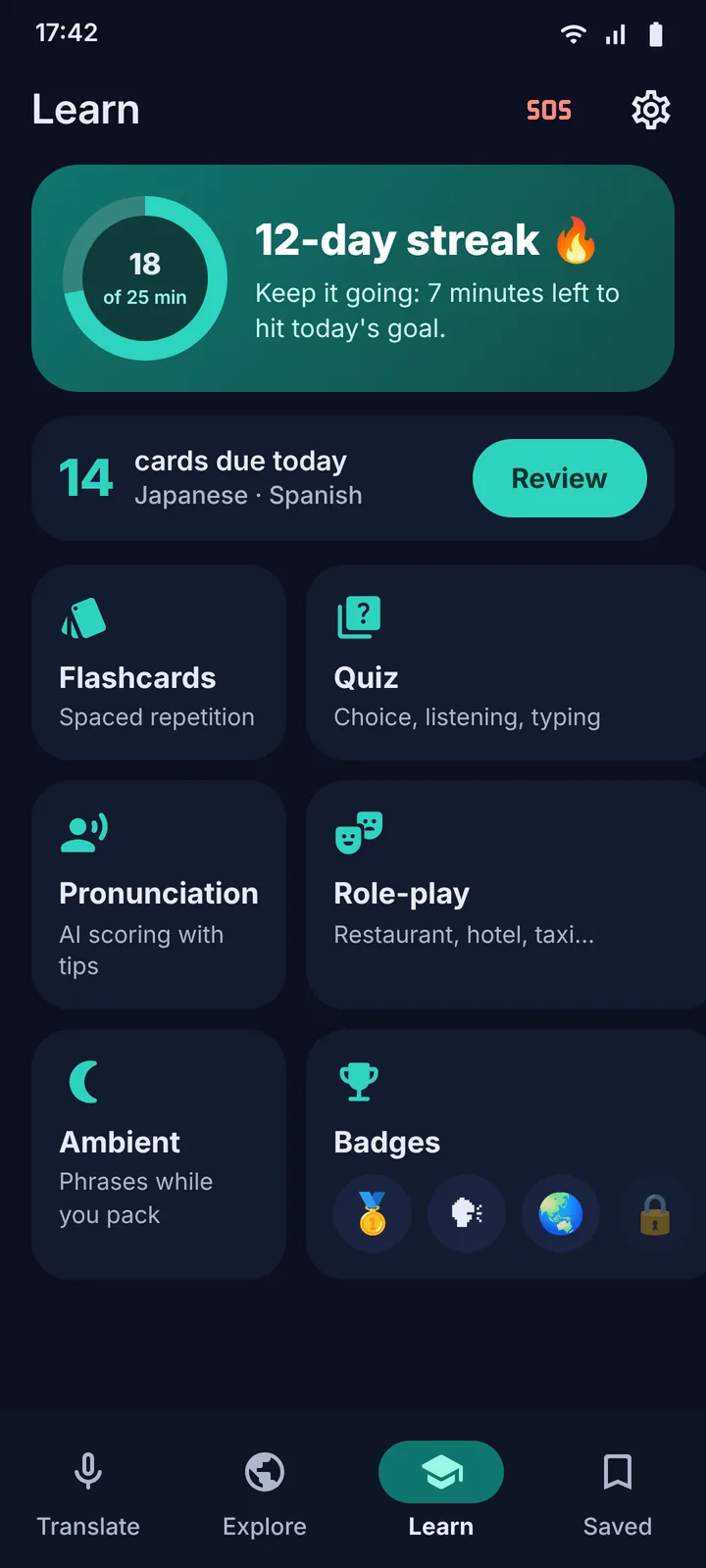
Learn a little every day
Ten minutes a day before you fly and you'll land with the basics in your mouth, not on your screen.
- Spaced-repetition flashcards and multiple-choice, listening and typing quizzes.
- AI pronunciation scoring that hears you and tells you what to fix.
- Role-play scenarios: restaurant, hotel, taxi, pharmacy, market, meeting someone new.
- Ambient mode, daily goals, streaks and badges.
And then some
Everything else you'd want on the road
Conversation mode
A split screen for two people, each side in its own language, one half flipped so you can share the phone.
Audio files
Drop in a voice message or recording and get the transcript and translation, speaker by speaker.
Voices you want to hear
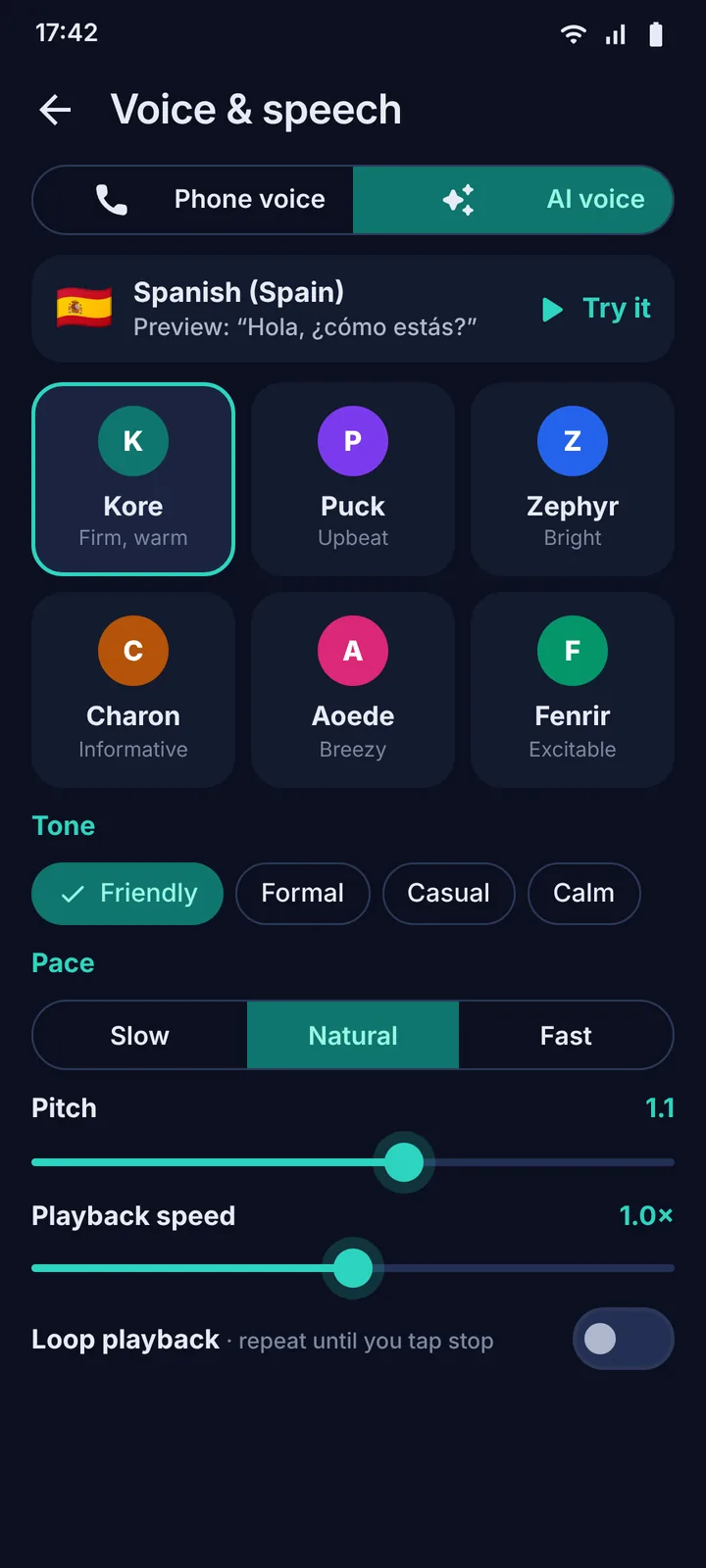
Free phone voices with your pick of accent and gender, or natural AI voices with tone, pace, pitch, speed and loop.
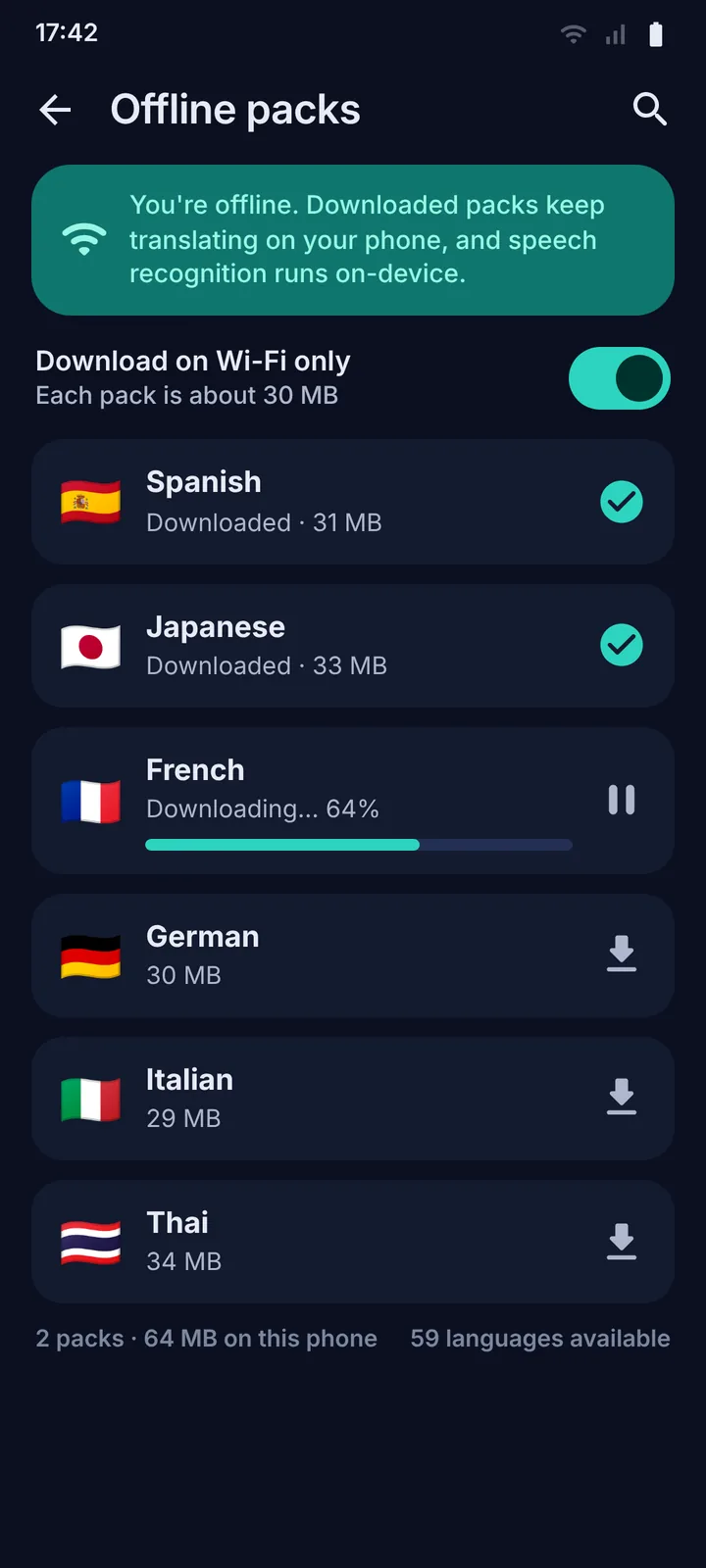
Offline packs
Download a language (about 30 MB) and translate on the plane. Speech recognition runs on-device too.
Saved and organised
History, favourites and collections per trip, with search and filters. Nothing is lost when you land.
Export and print
Turn any collection into a phrase sheet: PDF, CSV or plain text, or print it for your pocket.
Hearing-impaired mode
Keeps everything on screen in large, high-contrast text, with haptics instead of sounds.
Accessible by design
Dark, light and high-contrast themes, a dyslexia-friendly font, text up to 160%, reduced motion, one-handed layout and screen-reader labels everywhere.
Take a look
Eight screens, one trip
Swipe or use the arrows to browse.
Private by design
No servers. Your words stay on your phone.
Sayfarer has nothing to sign up for because it has nothing to sign you into.
- Your history and settings live on your phone and nowhere else.
- AI runs on Google's Gemini with a free API key you create yourself. Audio, text and photos go straight from your phone to Google, under Google's terms, and never through us.
- Offline features stay offline: phrasebooks, SOS cards, saved items, flashcards and downloaded packs.
- Delete everything with one button, or by uninstalling. No analytics, no trackers, no ads.
FAQ
Questions, answered
Is Sayfarer really free?
Yes. No price, no subscription, no ads and no in-app purchases. The AI features run on Google's Gemini models using a free API key that you create in about two minutes, with no card required.
What is a Gemini API key and how do I get one?
It's a free code from Google that lets the app talk to Google's AI on your behalf. Open aistudio.google.com/apikey, sign in with any Google account, tap “Create API key”, then paste it into Sayfarer under Settings › Gemini API key. The onboarding walks you through it.
Does it work without internet?
Mostly. Phrasebooks for 12 languages, SOS cards, saved phrases, flashcards and downloaded language packs all work offline, and speech recognition runs on your phone. Live AI translation, photo translation and natural AI voices need a connection.
How many languages does it understand?
Automatic detection covers more than 100 languages and dialects. Phrasebooks for 12 languages ship inside the app; phrases for any other language are generated on first use and cached so they work offline next time.
How accurate is it?
Translation is done by Google's Gemini models, among the best available. Every live result carries a confidence badge, and if the language was mis-detected you can correct it with one tap.
Is it listening all the time?
No. The microphone is only on while you're in a listening session, which you start and stop yourself. Audio is sent to Google for transcription and translation only during that session, and we never receive it.
Is there an iPhone version?
Android first. The app is built from a single codebase, so an iOS version is planned once the Android release has settled in.
Where can I learn every feature?
The user guide covers each screen, and the support page has troubleshooting and a direct email address.
Pack Sayfarer before you pack anything else.
Free on Google Play. Ready in three minutes.